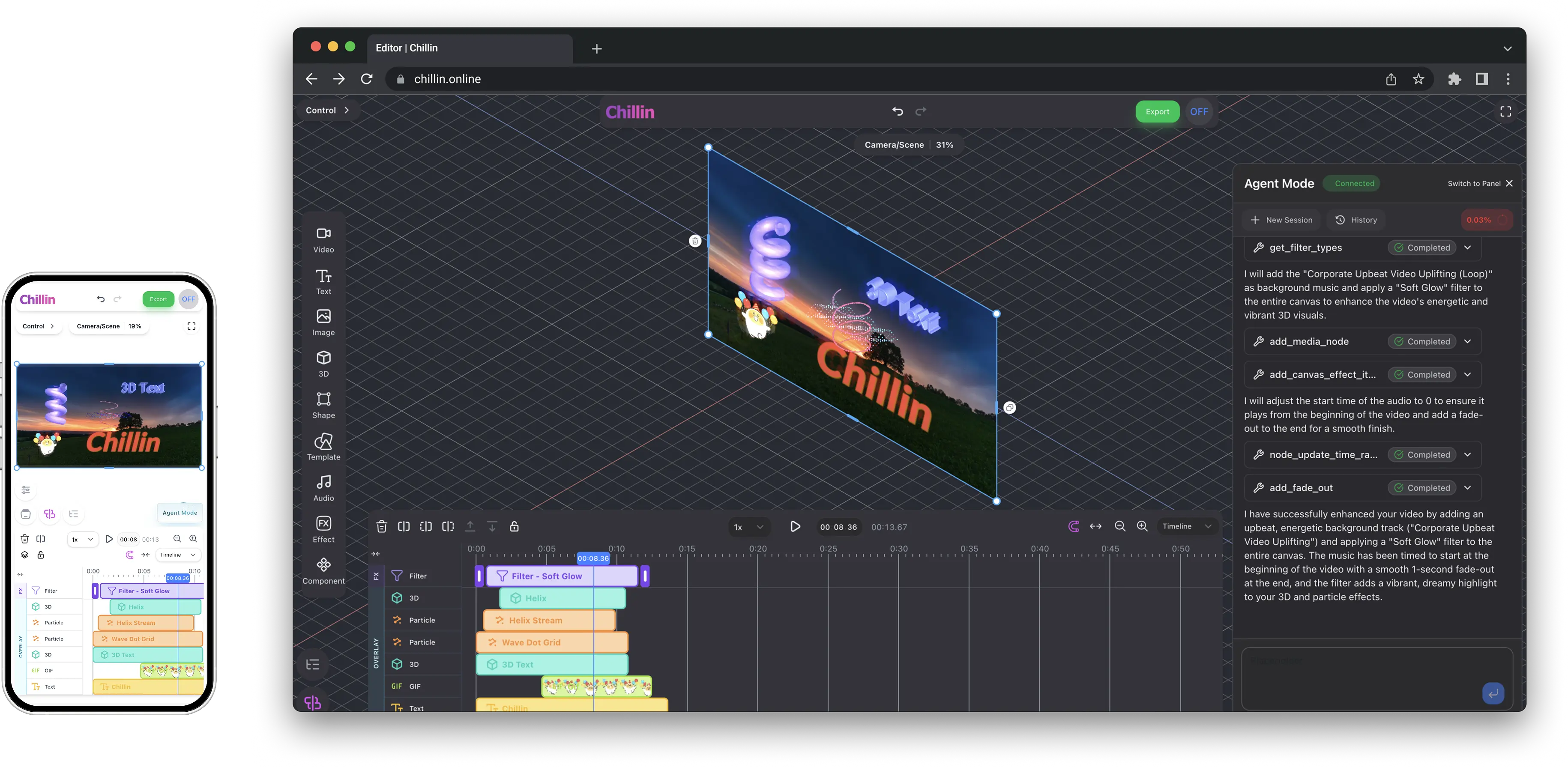
This overview brings together publicly available information about Chillin from its official website and documentation.
Chillin describes itself as a "Next-Gen Video & 3D Agent" — an advanced, browser-based video and 3D editing tool powered by WebGPU and AI. The homepage highlights a notable free-tier feature: no-watermark export up to 4K at 60fps, meaning exported videos carry Chillin's own branding only if the user chooses, rather than a forced watermark on free exports.
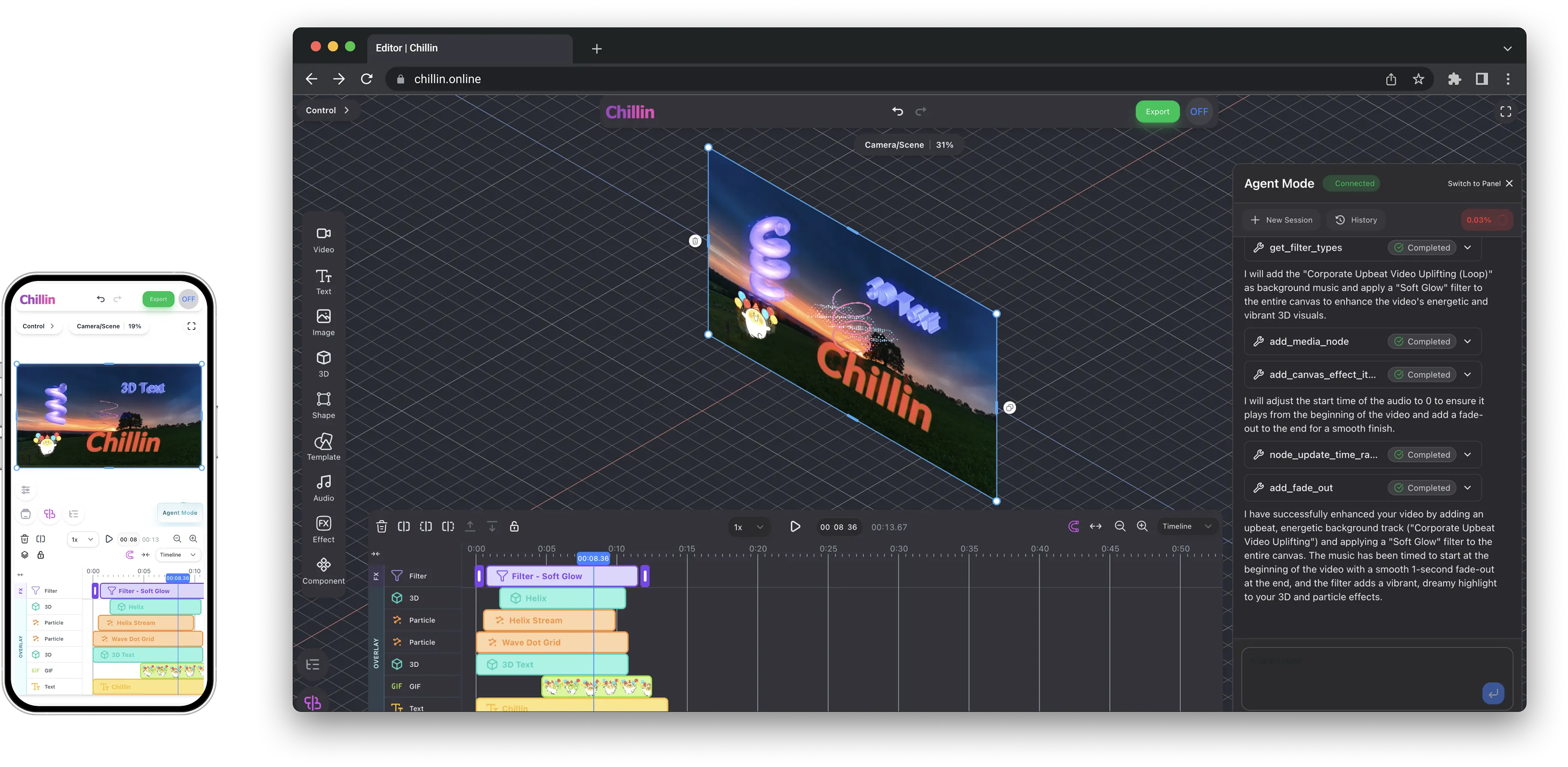
Conversational Video Editing Agent
A central feature is Chillin's editing "agent" — described as enabling conversational video editing, where users can describe the edit they want and the agent carries it out, positioned as a "fully autonomous video editing agent." The site includes an Agent Showcase section where visitors can browse real projects made with the agent, inspect the prompts used to create them, and open the project directly in the editor to see how it was built.
Chillin 3D
Beyond standard video editing, Chillin integrates 3D editing capabilities directly in the browser, allowing users to create 3D effects without leaving the main editor. Listed 3D-related features include:
- Timeline keyframes — animating paths, easing curves, and gradient keyframes within a WebGPU-powered timeline, with a live 3D preview.
Other Core Editing Features
- Caption editing — import SRT and VTT subtitle files, or generate captions automatically with AI, then apply caption animation styles for short-form content.
- Motion & Lottie support — Lottie and SVG animations can be brought directly into the editor with live preview, curated sample animations, and export-ready rendering.
- Soundwave visualization — audio tracks can be visualized as a waveform synced to the timeline.
- Tone Adjust & LUTs — built-in color grading presets such as Cinematic, Vintage, Vibe, and Studio looks, applied directly to the timeline.
- Dark mode — a full light/dark interface described as tuned for contrast, aimed at reducing eye strain during long editing sessions.
- Global workspace — the interface language can be switched instantly, supporting international and multilingual teams.
- Built-in free utilities — background removal and audio extraction tools are available even before starting a full editing project.
Who Chillin Is Designed For
- Short-form content creators who need fast AI captioning and caption animation for platforms like YouTube Shorts or TikTok.
- Motion designers who want to bring Lottie/SVG animations into a video timeline without switching between multiple tools.
- Anyone who wants a free, browser-based editor capable of exporting up to 4K at 60fps without a forced watermark.
Community & Support
Chillin maintains a public Discord community for users, alongside a blog covering product updates and editing tips. The company also mentions availability for business partnership inquiries directly through the site.
Pricing
Chillin's site references free access to its core editor — including background removal, audio extraction, and watermark-free exports up to 4K/60fps — with additional plan details and any premium tiers listed on its dedicated pricing page.
Our Take
Chillin combines conventional video editing (captions, color grading, waveform visualization) with less common browser-based additions like WebGPU-powered 3D keyframing and native Lottie/SVG support — all wrapped around an AI agent that can build edits from natural-language prompts. For creators who want to experiment with 3D motion graphics or AI-assisted editing without installing desktop software, the free export tier up to 4K/60fps makes it easy to test the workflow at no cost before considering any paid upgrade.
Try Chillin's free AI video editor →
#Chillin #AIVideoEditor #VideoEditing #3DAnimation #ContentCreation #AITools