This overview brings together publicly available information about Comentia from its official website and documentation.
What is Comentia?
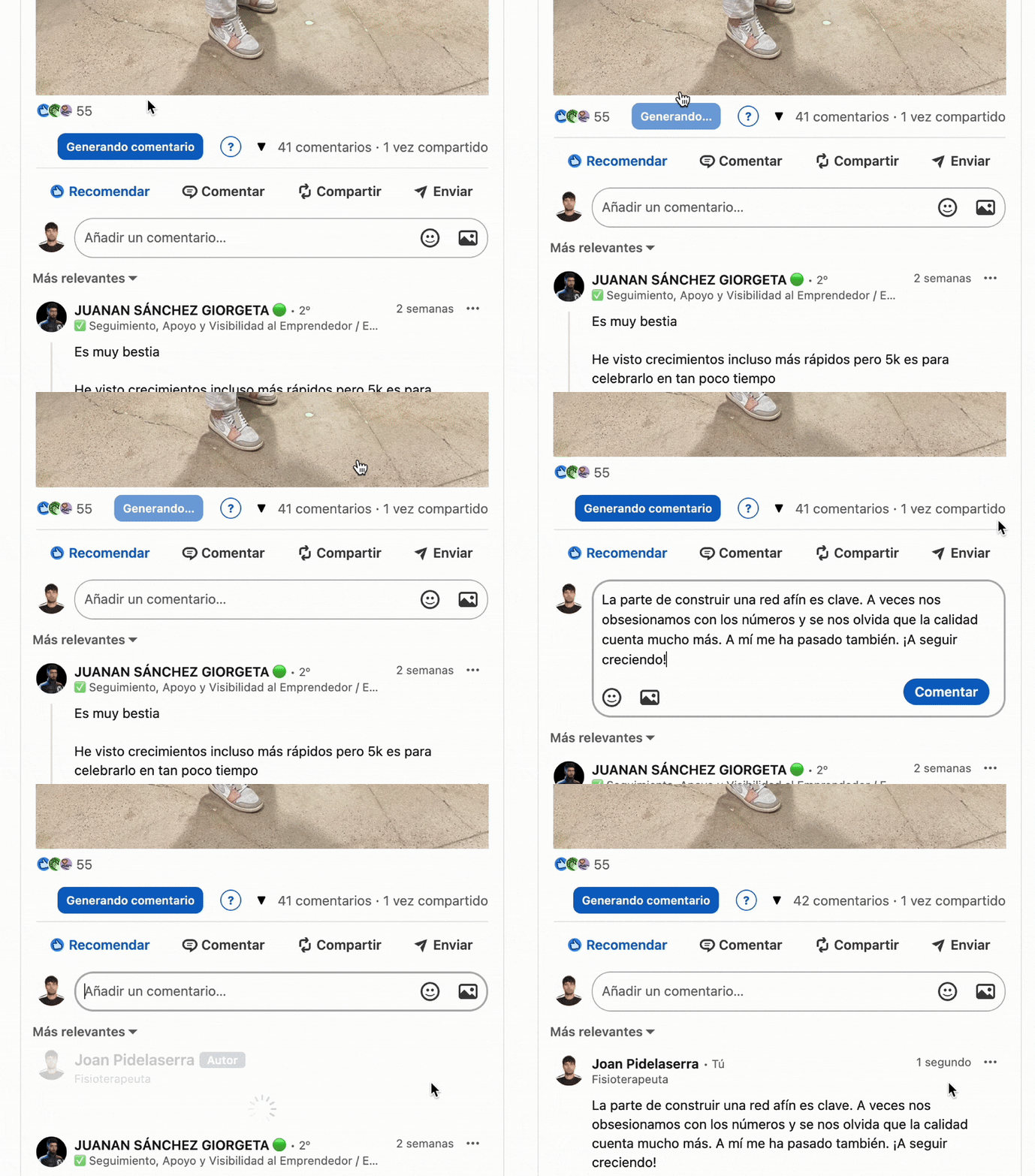
Comentia is a browser extension that uses AI to help LinkedIn users write comments, reply to comments, and respond to direct messages faster, while trying to preserve the user's own writing style and tone. The core pitch, according to the homepage, is that active commenting and replying on LinkedIn is one of the most time-consuming parts of building visibility on the platform, and that most of that time can be reduced without the output sounding generic or obviously AI-written.
Core features described on the site
- Comment on posts in your style: generates useful comments in seconds, aiming to keep the user's tone rather than producing generic, templated replies.
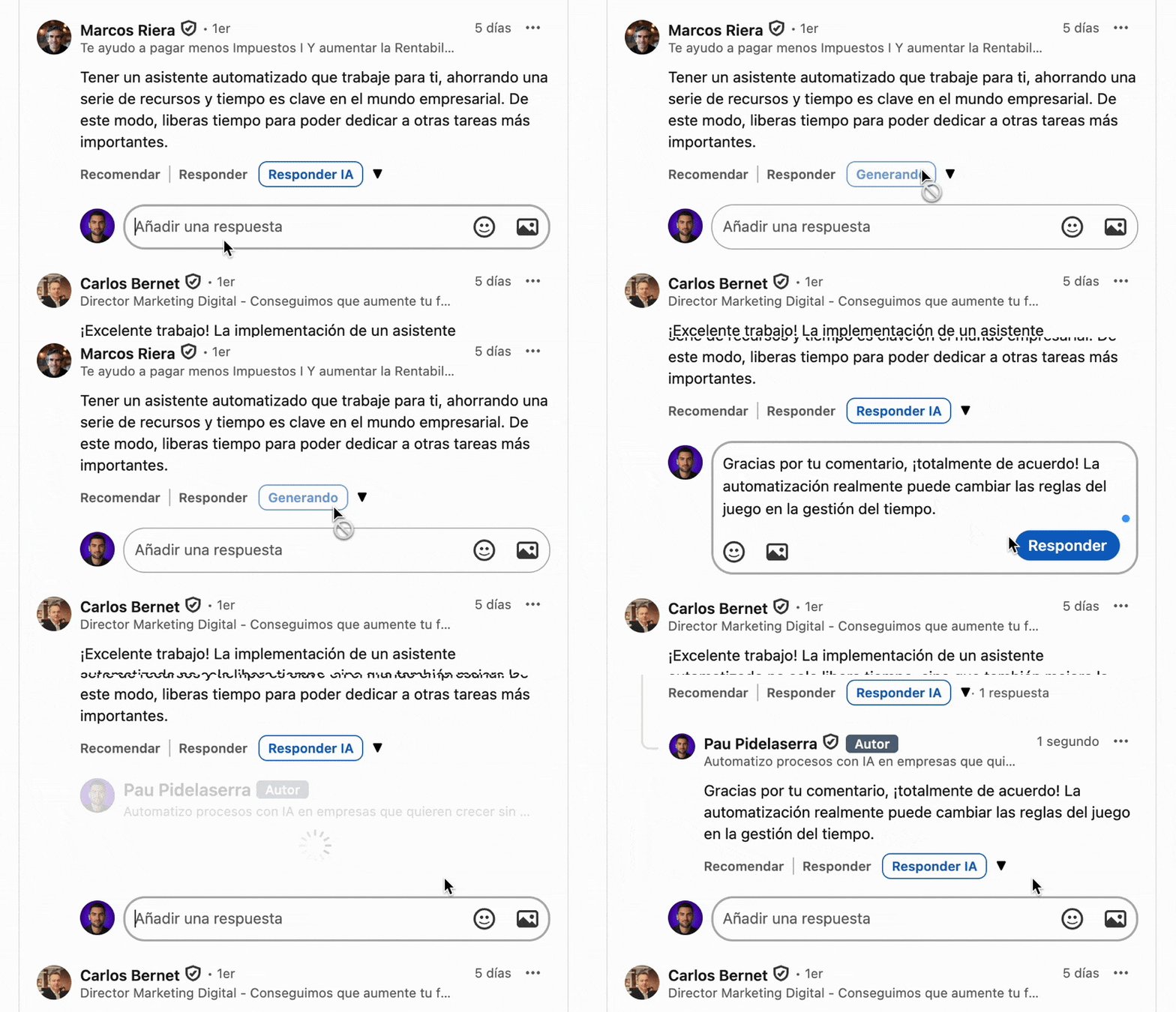
- Reply to comments effortlessly: helps keep conversations on a post active by drafting quick, on-brand replies to people who comment back.
- Turn messages into opportunities: assists with responding to LinkedIn direct messages in a professional tone that still matches the user's usual style.
- Post summaries: can summarize a LinkedIn post instantly, which is listed as part of the free plan.
- Custom prompt templates: users configure a personalized prompt describing their tone, expertise, and typical phrasing so generated text is meant to consistently sound like them rather than like a generic AI assistant.
How it works, according to the site
- Install and connect — add the Chrome extension and connect a license.
- Configure your style — build a personalized prompt using the provided templates so output matches the user's tone and expertise.
- Comment and respond — open LinkedIn, generate a comment or reply, review it, and publish it manually.
It's worth noting the workflow described keeps a human review step before anything is posted — the tool drafts text, and the user still reviews and publishes it, rather than auto-posting without oversight.
Results shared by the founder
The site includes a results section from the founder's own LinkedIn profile, citing 644,954 impressions (a reported 31,300% increase versus the prior 90 days), up to 3,200–3,300 interactions on a single post at peak, more than 100 direct messages per day at peak, and 4 sales per week attributed to conversations that started in comments. These are presented as the founder's individual results rather than guaranteed outcomes for every user.
Built-in ROI calculator
The homepage includes a savings calculator where a user inputs daily minutes spent on LinkedIn engagement and their hourly rate; based on the defaults shown (30 minutes/day, €17/hour), the tool estimates about 15 hours per month and €3,103 per year currently spent on comments and messages, with a claimed 70% automation of that time, translating to roughly 11 hours and €2,097 saved per month/year.
Pricing overview
Comentia lists the following tiers:
- Free — €0, 100 interactions, including commenting, replying, message responses, instant post summaries, and unlimited prompt personalization.
- Básico — €9.99/mo (billed monthly) or a discounted annual rate, 1,000 interactions/month, focused on commenting and quick summaries.
- Profesional — €14.99/mo (marked "Most Popular"), 4,000 interactions/month, adding comment replies and message responses.
- Lifetime — a one-time €179 payment (limited to 100 spots per the site), 6,000 interactions/month plus beta access and VIP support.
Who this is for
Comentia is aimed at consultants, founders, salespeople, and coaches who use LinkedIn as a business development channel and want to stay active in comment sections and DMs without spending hours a day reading and writing responses manually.
Final thoughts
For LinkedIn-heavy professionals, Comentia's main selling point is the personalized-prompt approach aimed at keeping generated text recognizably "yours" rather than obviously templated, combined with a free 100-interaction tier to test the fit before paying. As always, current pricing and interaction limits should be confirmed on the official site before subscribing.
Try Comentia free on LinkedIn
#Comentia #LinkedInGrowth #AIWritingAssistant #LinkedInMarketing #B2BSales #ChromeExtension