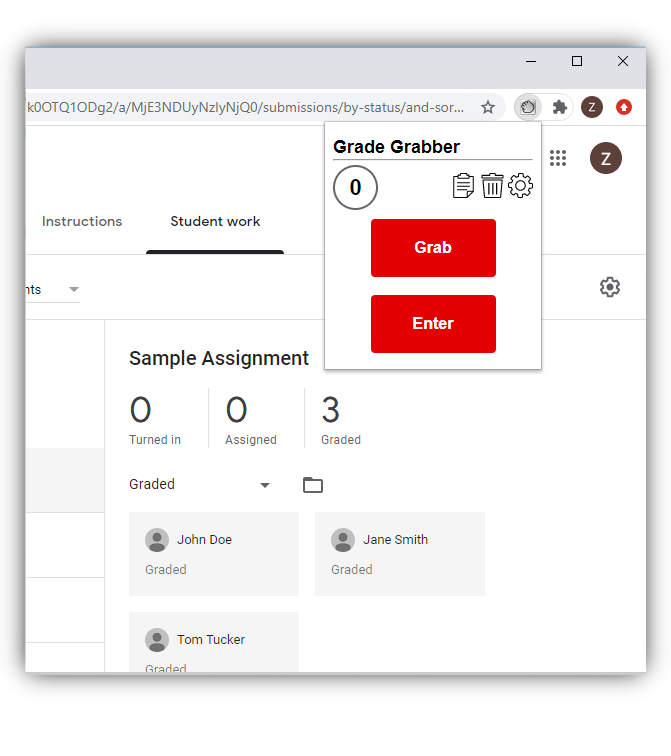
This overview brings together publicly available information about GradeGrabber from its official website, summarizing how the Chrome extension helps teachers manage gradebook data.
What Is GradeGrabber?
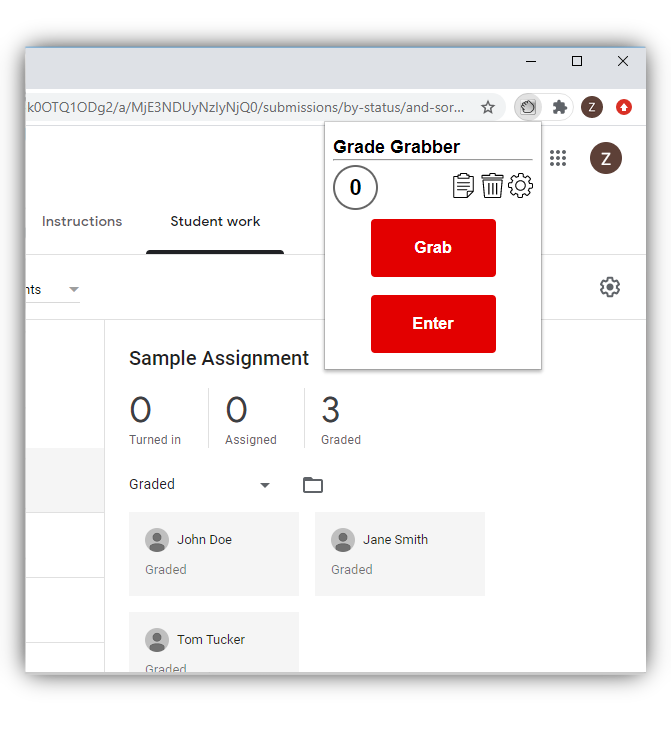
GradeGrabber is a Chrome extension built for teachers who use Google Classroom or Canvas as their learning management system (LMS) alongside a separate official gradebook such as eSchoolPLUS Teacher Access Center (TAC) or PowerSchool PowerTeacher Pro. Instead of manually re-typing every grade from the LMS into the gradebook, GradeGrabber automates the transfer with a couple of clicks.
Core Features
- One-click grade loading: Grades are loaded from the LMS with one click, then entered into TAC or PowerTeacher with a second click.
- Broad LMS and gradebook support: Beyond Google Classroom and Canvas, GradeGrabber can also pull grades from Google Sheets, Microsoft Excel, DeltaMath, EdPuzzle, MathSpace, and McGraw Hill sources, and push them into TAC, PowerTeacher Pro, or Canvas.
- Name mapping: A built-in name-matching feature resolves cases where student names don't match exactly between the LMS and the gradebook system.
- Local, encrypted processing: The site states that no student data ever leaves the teacher's computer — data is encrypted and stored locally in the browser rather than sent to an external server.
- Cross-platform: The extension works on any device running Google Chrome, including Windows, Mac, and Chromebook.
Who Is It For?
GradeGrabber is squarely a productivity tool for K-12 teachers and school districts already required to maintain grades in a district-mandated gradebook system, while doing day-to-day grading inside a separate LMS like Google Classroom or Canvas. It is not a student-facing tool — access and use are intended for teaching staff managing their own gradebooks.
How It Handles Edge Cases
The official FAQ clarifies several practical behaviors: an assignment can be re-imported multiple times, ungraded assignments in Google Classroom won't be overwritten with a zero, and previously entered grades will be overridden if a re-import produces different values — giving teachers predictable, transparent behavior rather than silent data changes.
Pricing
GradeGrabber offers a 7-day free trial, followed by a monthly subscription at $2.49/month or a yearly plan at $24.99/year (equivalent to two free months compared to paying monthly). Both plans include unlimited transfers and unlimited installs across a teacher's devices, and the site notes special pricing is available for entire schools or districts.
Summary
For teachers who lose hours each grading period copying scores between their LMS and their official gradebook, GradeGrabber's pitch is straightforward: automate the repetitive transfer step, reduce transcription errors, and keep student data processed locally rather than through an external server.
Visit GradeGrabber to start a free 7-day trial.
#GradeGrabber #TeacherTools #EdTech #GoogleClassroom #PowerSchool