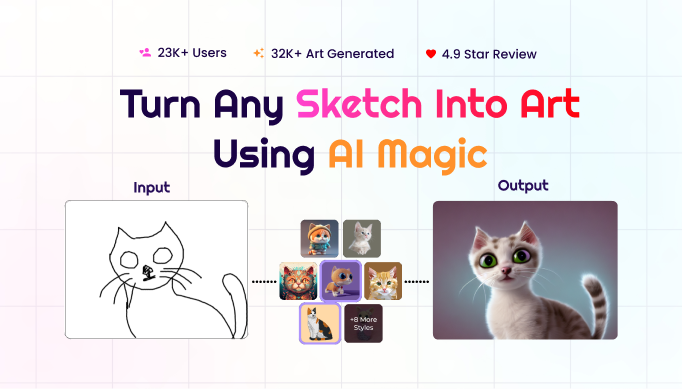
This overview brings together publicly available information about SketchToImage from its official website, summarizing how the tool converts sketches into finished digital art.
What Is SketchToImage?
SketchToImage is an AI-powered art generator built around a single core idea: turn a rough sketch — whether hand-drawn or created digitally — into a polished piece of art. Users can paint directly on the site's built-in canvas or upload an existing sketch, add a text prompt describing the desired outcome, choose an art style, and generate the result.
Core Features
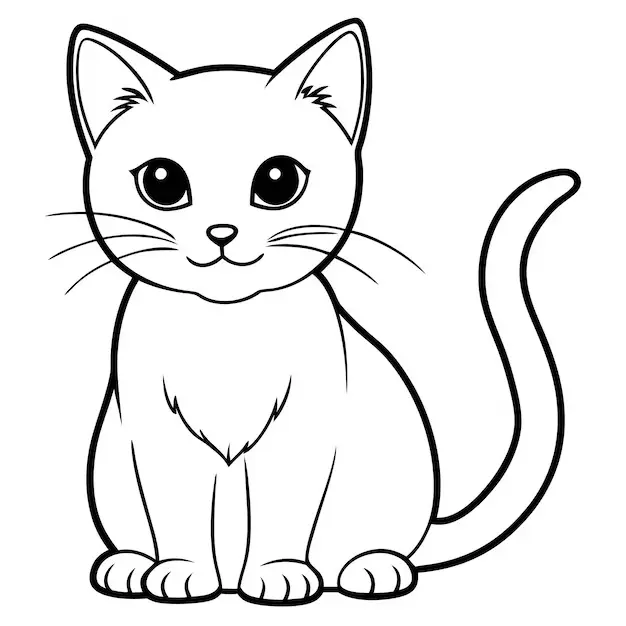
- Canvas or upload workflow: The platform supports both painting directly in an in-browser canvas and uploading existing sketch files, covering users who sketch digitally and those who prefer pen and paper.
- Multiple art styles: Beyond the featured "Hyper Realistic" output, the site advertises more than eight additional styles, including anime, retro comic, Studio Ghibli-inspired, pixel art, and cyberpunk, letting the same sketch be reinterpreted in different visual directions.
- Up to 8x upscaling: Generated images can be upscaled up to eight times their original resolution, improving clarity and detail for high-resolution downloads.
- Image-to-video generation: SketchToImage can also generate video from a finished image, extending a static artwork into a short animated clip.
- Commercial usage rights: According to the FAQ, all artwork generated through the platform is copyright-free and can be used commercially.
Who Is It For?
Based on the testimonials and use cases highlighted on the site, SketchToImage appeals to hobbyist artists turning doodles into finished pieces, marketers looking for quick visual assets, presentation and pitch-deck creators who want custom illustrations without hiring a designer, and anyone curious about seeing a personal sketch reimagined in a professional art style.
Payments and Refunds
Credit purchases are processed through Stripe, with the site stating no credit card information is stored directly by SketchToImage. Refunds are available within the first 14 days of a purchase, provided no credit has yet been used to generate artwork; monthly credits that go unused do not roll over and expire at the end of the billing cycle.
Data Storage
The FAQ states that user data is stored securely on Google Cloud servers located in the United States.
Summary
SketchToImage's pitch is simple: sketch it, describe it, pick a style, and get a finished piece of art in return, with upscaling and short video generation as extensions on top of the core workflow. Anyone curious about the output quality can start with the free canvas before committing to a paid credit plan.
Visit SketchToImage to try converting a sketch for free.
#SketchToImage #AIArt #SketchToArt #AIImageGeneration #DigitalArt